Import cv2 failed: ImportError: DLL load failed
If you see the following error:
ImportError: DLL load failed: The specified module could not be found.
it is very likely that you are on a Windows 10/11 N or KN version.
You can check if you have an N or KN version by typing winver in
the Windows search bar and clicking on winver as in this screenshot:
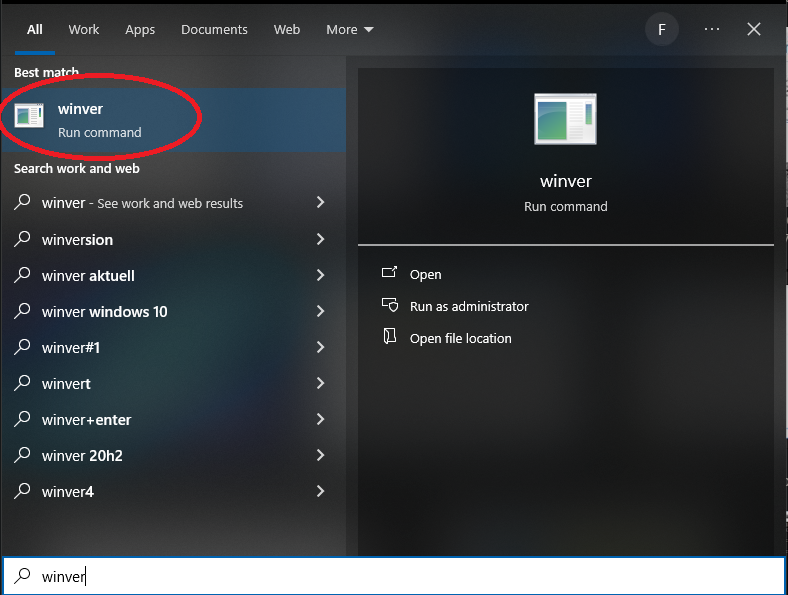
Runnning winver from Windows search bar
You will be able to see the Windows version in the window that opens:

Windows version
If you see a N or KN in the Edition field then you need to install the
Media Feature Pack which is required by opencv and it is not installed
on N and KN versions of Windows.
To install the Media Feature pack type optional feature in the Windows search
bar and you should see something like “Add an optional feature”. Click on that
and then click on “Add a feature” on the top. Search for Media Feature Pack
and install it.
After installation, re-start the computer and try Cell-ACDC again.
If you don’t manage to solve your issue, feel free to contact us by opening a new issue on our GitHub page or by sending me an email at .
Until next time!